
+8617399988678 


Why Go With an lcd iphone XR Replacement Screen?
The iPhone XR is still hanging around for a reason. Its LCD screen gives you solid colors, decent brightness, and replacement costs that don't make you wince. Back in Q3 2019, Counterpoint Research said it was the world's best-selling smartphone, grabbing around 3% of global sales. And with so many still in use, it's no surprise there's a big market for replacement screens.
Ross Young, CEO of Display Supply Chain Consultants, put it simply: “LCD remains a very important display technology.” That makes sense. Most people aren't doing anything on their phone that demands OLED—just texting, maps, video calls, work apps. A good LCD iPhone XR replacement screen can bring back touch response and sharp image quality while keeping that same familiar look.
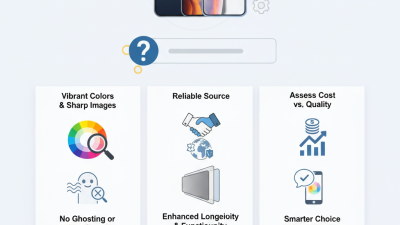
But quality? Yeah, it's all over the place. Omdia's research points out that panel performance comes down to brightness, color calibration, power efficiency, and how consistent the manufacturing is. These are exactly the things you might skip over when you're comparing Iphone Lcd Screen Price China listings. The cheapest one might use weaker glass, uneven backlighting, or a touch layer that's not quite right. Even a tiny flaw is annoying.
So if you're buying, check the panel specs, warranty, adhesive quality, and any supplier testing records. Installers should also look over the frame before putting in the new screen—a bent housing can wreck it. No replacement is perfect. Even good repair shops run into dust, dead pixels, or calibration issues sometimes. That's why clear grading and documented QC matter way more than a super-low price tag. Picking the right LCD iPhone XR screen isn't just about saving a few bucks; it's about keeping your phone safe, stable, and familiar for everyday use.
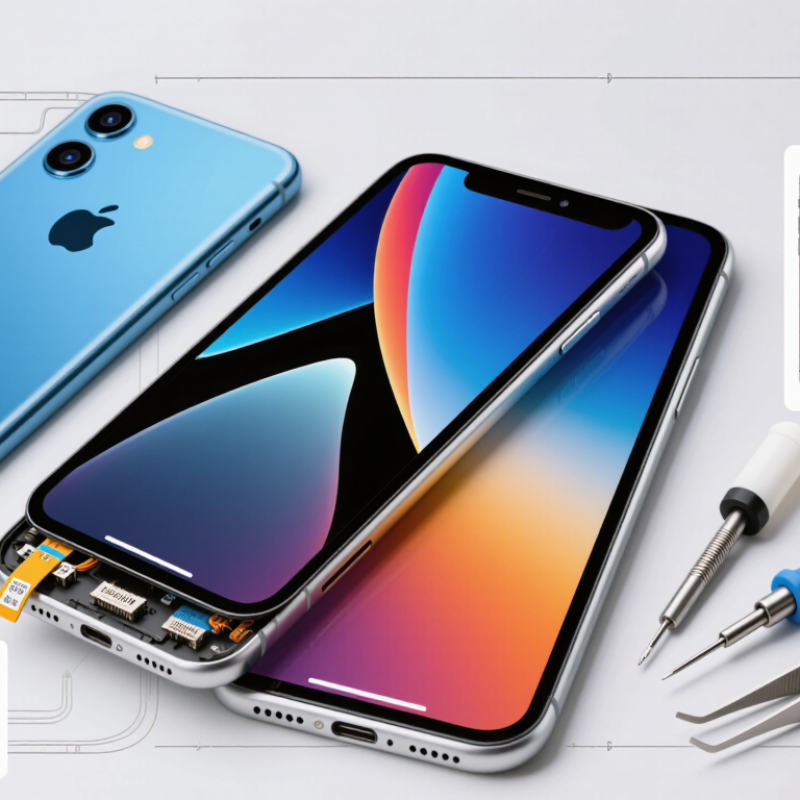
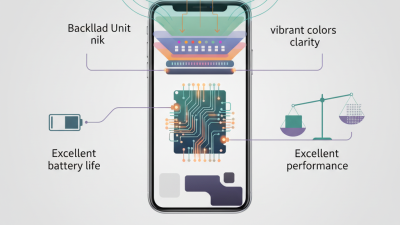
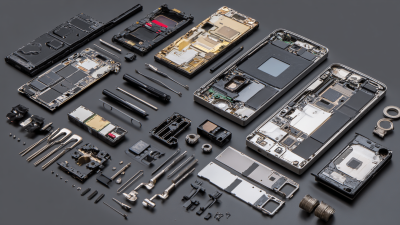
An LCD iPhone XR replacement screenis a display assembly made for the 6.1-inch XR handset. It usually combines an LCD panel, LED backlight, Touch Digitizer, and protective glass. Some assemblies include a pre-fitted frame, while others require careful transfer of small components. The panel targets a1792 × 828 resolution and approximately 326 pixels per inch. In practical terms, it restores image output, touch response, and everyday visibility after cracks, dead pixels, or backlight failure.
LCD technology uses a controlled backlight behind liquid crystals. It does not produce individually lit pixels like OLED, but it can provide stable brightness and consistent color at a lower replacement cost. Industry research supports this repair market. IDC’s Worldwide Used Smartphone Forecast, 2023–2027, projects 431.1 million used smartphone shipments by 2027, valued at about $109.7 billion. More aging devices mean more demand for dependable parts.
Quality still varies. A technician should check touch accuracy near the corners, white-screen uniformity, viewing angles, and brightness before installation. A loose connector can create ghost touches. I have seen “perfect” panels reveal uneven lighting only in a dark room. That detail is easy to miss. Reports from Counterpoint Research also show that refurbished-device growth depends heavily on component quality and repair confidence. A replacement screen is not merely glass. It is a calibrated interface, and small manufacturing differences can change the daily experience.
When comparing replacement panels with the original iPhone XR display, brightness is only one part of the decision. The original screen usually delivers balanced color, smooth touch response, and consistent viewing angles. Quality LCD replacements can approach that performance, but small differences may appear in white tones, outdoor visibility, or edge brightness.
At a repair bench, touch accuracy becomes obvious. A reliable replacement should register light taps near the corners and respond smoothly during scrolling. Poorer panels may show delayed touch, uneven backlighting, or a frame that sits slightly above the housing. LCD performance also depends on the panel grade, bonding process, and calibration equipment used by Iphone Lcd Screen Suppliers. Ask for tested specifications instead of trusting attractive claims. I have seen screens that looked excellent in a shop but appeared dim beside a window. That result needs honest consideration.
An LCD replacement screen can restore a damaged phone without the cost of a full device replacement. It is often a practical choice for cracked glass, dead pixels, or touch problems. The lower price helps users manage repair expenses more carefully. It also supports a longer device life, which can reduce unnecessary electronic waste.
A reliable LCD panel should provide clear images, responsive touch control, and stable brightness. During repairs, technicians should inspect the frame, connectors, and display settings before installation. Testing touch response along every edge is important. Small faults can become frustrating during typing or gaming. Screen protectors and careful handling may improve everyday durability, although no replacement is completely damage-proof.
LCD technology can use more power than some advanced display types. Its contrast may also look less rich in dark scenes. That trade-off matters. Still, many users value consistent performance over premium display features. In my repair experience, quality depends on more than the panel itself. Installation skill, proper calibration, and careful testing affect the final result. A cheaper screen is not always the best screen. Checking warranty terms and return support adds another layer of reliability. This step is easy to overlook.
Choosing an LCD replacement screen for an XR phone involves more than matching size and connector. In hands-on repairs, quality becomes clear under ordinary conditions: white backgrounds, outdoor sunlight, and fast typing. A reliable LCD should provide even brightness, stable touch response, and natural color balance. Cheap panels may look acceptable at first, yet show dim corners, a blue cast, or delayed taps after several days. LCD technology also differs from OLED. It usually uses a backlight, so blacks can appear softer and battery behavior may vary. Viewing angles and brightness consistency deserve careful inspection, not just a quick startup test.
Tips: Compare the replacement with the original before installation. Display a plain white image and a dark image. Check for shadows, dead pixels, flicker, and uneven edges. Test typing across every corner. Lower-quality glass may feel rough, and the frame may sit slightly high. Confirm that the panel, touch layer, and proximity area work together. Keep the adhesive clean; dust under the glass is surprisingly visible.
Professional repair practice also means admitting uncertainty. A replacement can pass testing and still feel different outdoors. Color may need adjustment, and some panels consume more power than expected. Ask for measured brightness data, touch-test results, warranty terms, and clear return conditions. Installation quality matters equally: a pinched cable can imitate a defective screen. I once trusted a quick visual check and missed a faint vertical line, which appeared only on gray backgrounds. That mistake changed my checklist. Careful testing is slower, but it protects usability and reduces avoidable repeat repairs.
Important differences in LCD screen quality and performance are mainly visible in brightness, contrast, color accuracy, and touch-response consistency. The comparison below uses representative specifications commonly found in premium, standard, and budget replacement LCD panels.
Premium LCD panels are generally closer to the original display specification, offering higher brightness, stronger contrast, better color accuracy, and faster touch response. Standard panels provide balanced value, while budget panels may show lower brightness, reduced contrast, and less consistent touch performance.
Before buying an LCD replacement screen, confirm the exact phone model. Do not rely on appearance alone. Two screens may share the same size but use different connectors, frames, or flex cables. Check the model identifier in the phone settings or on its rear housing. Compare it with the seller’s compatibility list. A careful match prevents blank displays, ghost touches, and wasted repair time.
Inspect the screen type as well. The XR model requires a compatible LCD assembly, while some listings describe only the glass or panel. Ask whether the package includes the frame, front camera bracket, and required small components. Product photos can mislead. Request clear images of the connector and flex cable before ordering. For Iphone Lcd Incell Display Wholesale purchases, confirm the tested resolution, touch response, brightness, and return terms in writing.
I test parts before full installation. Connect the screen first, then check touch accuracy near the corners. Look for flicker, uneven backlighting, or dead pixels against a white image. A screen that works briefly may still fail after assembly. I have learned this the hard way. Also, inspect the package for bent edges or crushed corners. No checklist is perfect. Still, model verification, connector comparison, and a practical test offer dependable protection before purchase.
Why Choose LCD iPhone XR Replacement Screens?
Installing an LCD replacement screen requires more than matching size and connectors. The panel should support accurate touch response, stable brightness, and consistent color across its viewing area. Search terms such as “Cheap Iphone Lcd Screens” can hide differences in glass strength, backlight quality, and quality control. The Global E-waste Monitor 2024 reported 62 million tonnes of electronic waste in 2022, with only 22.3% properly collected and recycled. A reliable replacement can extend device use and reduce unnecessary disposal.
During installation, disconnect the battery before touching display connectors. Use an antistatic mat, plastic opening tools, and controlled heat around the adhesive. Excessive heat may damage nearby components. Clean the frame carefully; even a thin strip of old adhesive can create pressure marks. Test touch, brightness, proximity sensing, and the front camera before sealing the screen. Test twice.
Connector alignment matters. Never force it. A slightly bent contact may cause flickering or dead zones later. The International Data Corporation has repeatedly identified repairability and device longevity as growing consumer concerns in its device sustainability research. That makes documentation, part traceability, and a clear warranty important. A panel may look perfect for five minutes, yet fail after repeated brightness changes. This is where rushed installation becomes expensive. I still think technicians sometimes underestimate dust; one visible speck can ruin an otherwise careful repair.
| Consideration | Relevant Specification or Data | Why It Matters | Installation and Quality Check |
|---|---|---|---|
| Display Technology | IPS LCD with LED backlight | LCD technology can provide a practical replacement option with consistent brightness and lower replacement cost than many premium display technologies. | Confirm that the replacement panel is specifically designed for the 6.1-inch LCD display assembly and that the backlight illuminates evenly across the entire screen. |
| Screen Size | 6.1 inches diagonally | The screen size must match the original device to maintain proper viewing area, frame alignment, and touch-panel compatibility. | Before sealing the display, place the panel into the frame without adhesive and check the edges, corners, earpiece area, and front-sensor openings. |
| Native Resolution | 1,792 × 828 pixels | Matching the native resolution helps preserve correct image scaling, text sharpness, and application layout. | Display a solid-color image, fine text, and a high-contrast test pattern. Look for missing pixels, blurred areas, lines, or abnormal scaling. |
| Pixel Density | 326 pixels per inch | A replacement with the correct pixel density maintains the intended level of detail for icons, photographs, and small text. | Inspect small lettering and diagonal lines at normal viewing distance. Uneven sharpness may indicate a defective or incompatible panel. |
| Refresh Rate | 60 Hz | The standard refresh rate supports normal scrolling, video playback, and system animations without requiring a high-refresh replacement panel. | Test scrolling in menus and web pages. Check for flicker, intermittent image loss, or visible stuttering unrelated to normal software behavior. |
| Touch Digitizer | Multi-touch capacitive input | Touch performance is essential for typing, gestures, gaming, and precise screen navigation. | Test taps along all four edges, diagonal swipes, pinch-to-zoom gestures, keyboard input, and continuous drawing across the full surface. |
| Color and Brightness | Uniform image reproduction with adjustable brightness | Color consistency and even brightness affect reading comfort, photography, video quality, and outdoor visibility. | Check white, black, red, green, and blue test screens. Inspect for yellow tint, dark corners, bright spots, backlight bleed, or uneven illumination. |
| Protective Glass | Flat front glass with oleophobic surface treatment | A smooth surface reduces fingerprints and supports comfortable swiping while helping the replacement feel closer to the original display. | Run a clean microfiber cloth over the surface and test several swipes. Reject panels with scratches, surface bubbles, edge lifting, or excessive friction. |
| Connector Compatibility | Matching display and touch connector layout | Correct connectors are required for image output, touch response, and reliable communication between the display assembly and the device. | Disconnect the battery before installation, connect the display cables carefully, and avoid bending or pressing the connectors during reassembly. |
| Front Sensor and Earpiece Area | Openings and mounting points must align with the original frame | Incorrect alignment can affect call audio, proximity sensing, front-camera operation, or the fit of the upper display components. | Transfer only compatible components, keep adhesive away from sensor openings, and test call audio, proximity detection, and the front camera. |
| True Tone Function | May require original-component data transfer or calibration | Display replacement can affect automatic color-temperature adjustment if the original display data is not retained or programmed correctly. | After installation, check the display settings for the color-temperature feature and compare the screen under different ambient lighting conditions. |
| Frame and Adhesive Fit | Even perimeter seating with compatible display adhesive | Proper seating helps prevent dust entry, screen movement, pressure marks, and premature edge lifting. | Clean old adhesive, inspect the frame for bends, apply a continuous compatible adhesive gasket, and apply even pressure during curing. |
| Pre-Installation Testing | Test before removing protective films or applying adhesive | Testing first reduces the risk of installing a defective panel and makes troubleshooting easier. | Check image, touch, brightness, color, sensors, earpiece audio, front camera, and accidental-touch behavior before final assembly. |
| Post-Installation Inspection | Full functional and visual inspection | A final inspection confirms that the replacement works reliably and that no damage occurred during reassembly. | Restart the device, test charging and calls, inspect the perimeter for gaps, and verify that the screen remains responsive after several minutes of use. |
Why Choose LCD iPhone XR Replacement Screens?
How to Maintain an iPhone XR After Screen Replacement
An LCD replacement can restore clear images and responsive touch performance. However, daily care decides how long the repair remains reliable. The Global E-waste Monitor 2024 recorded 62 million tonnes of electronic waste in 2022. Only 22.3% was formally collected and recycled. Extending a phone’s useful life matters. Choose experienced technicians or reliable Oem Iphone Lcd Suppliers with documented testing procedures. Ask whether the replacement includes touch, brightness, and color checks.
Keep the repaired phone away from water, steam, and dusty pockets. Use a firm case with a raised screen edge. Avoid pressing hard near the display corners. Small pressure points can create uneven touch response. A screen protector helps, but install it without trapped dust. Check the charging port carefully. Debris can make users blame the screen for a separate problem.
For the first 24 hours, test typing, swiping, cameras, speakers, and automatic brightness. Do not bend the device or place it under heavy objects. The 2020 European Commission repair survey found that 77% of consumers preferred repairing products instead of replacing them. That preference only works when maintenance is consistent. I would not pretend every replacement behaves identically. Some screens need minor calibration. If ghost touches, flickering, or sudden dimming appears, stop applying pressure and request a professional inspection.
It commonly includes an LCD panel, LED backlight, touch digitizer, and protective glass. Some versions include a fitted frame. Others require component transfer. Check carefully.
It should target 1792 × 828 resolution and about 326 pixels per inch. This supports clear images and normal daily visibility.
LCD panels use a backlight behind liquid crystals. They do not light each pixel individually. They can still provide stable brightness and lower replacement costs.
Test corner touch accuracy, white-screen uniformity, viewing angles, and brightness. Check typing and scrolling too. A dark room may reveal uneven lighting.
A high-quality panel can approach the original display’s performance. Small differences may appear in white tones, outdoor brightness, or edge lighting. Perfection is not guaranteed.
A loose connector may create ghost touches or intermittent faults. A raised frame can affect handling. Delayed touch and uneven backlighting are also possible.
Keep it away from water, steam, dust, and heavy pressure. Use a firm case with a raised screen edge. A screen protector helps when installed without trapped dust.
Test typing, swiping, cameras, speakers, and automatic brightness within 24 hours. Keep the device away from heavy objects. If flickering or sudden dimming appears, stop pressing the screen and seek inspection. I would still allow for minor calibration issues.
An Lcd Iphone Xr replacement screen is a compatible display assembly designed to restore a damaged phone’s image, touch response, and everyday usability. Compared with an original display, LCD technology may offer a different level of brightness, contrast, color accuracy, thickness, and power efficiency, but it can be a practical and cost-conscious repair option. Screen quality varies significantly, so buyers should compare resolution, touch sensitivity, viewing angles, durability, included components, and quality-control standards before making a purchase.
Before ordering, confirm the exact device model, screen size, connector type, and compatibility details. During installation, use suitable tools, handle the cables carefully, protect the battery, and test display and touch functions before final assembly. After replacement, keeping the device away from moisture, extreme temperatures, sharp impacts, and excessive pressure can help extend screen life. Regular cleaning with a soft, dry cloth and the use of a protective case can further preserve performance and appearance.