Picking reliable LCD screen aftermarket parts isn’t just about finding the lowest price. A screen can look bright and still feel off—maybe the touch response lags, the backlighting is uneven, or the frame doesn’t line up quite right. Techs who’ve done a few repairs know to check the panel before installing it. They look at color accuracy, viewing angles, connector condition, adhesive quality, and pixel performance. Under a repair lamp, tiny flaws tend to show up fast.
Kyle Wiens, CEO of iFixit, once said, “Repair is a right, not a privilege.” And that idea matters when you’re choosing parts—carefully, transparently. A supplier you can count on should give you clear specs, batch info, testing details, and a warranty that actually makes sense. Ask if every screen gets tested before it ships. Find out whether it’s refurbished, factory-pulled, or brand new. Those labels aren’t interchangeable, even if some sellers treat them that way.
Then look closely. Does the frame sit flat against the phone housing? Does the touch layer respond near the corners? Does the screen look yellow next to an original panel? Those checks tell you way more than a product photo ever will. Communication with the supplier matters too. Good companies answer technical questions straight and don’t get defensive when you give reasonable quality feedback. Our checklist helps, sure—but it’s not perfect. Some failures only show up after a few days of use. That’s the uncomfortable part, and it’s worth paying attention to. So choosing LCD screen aftermarket parts should really mean hands-on testing, documented quality controls, and a cautious look at the supplier. The cheapest option might save you money today, but tomorrow it can bring returns, rework, and unhappy customers.
Define the Role and Specifications of an LCD Screen Aftermarket Part
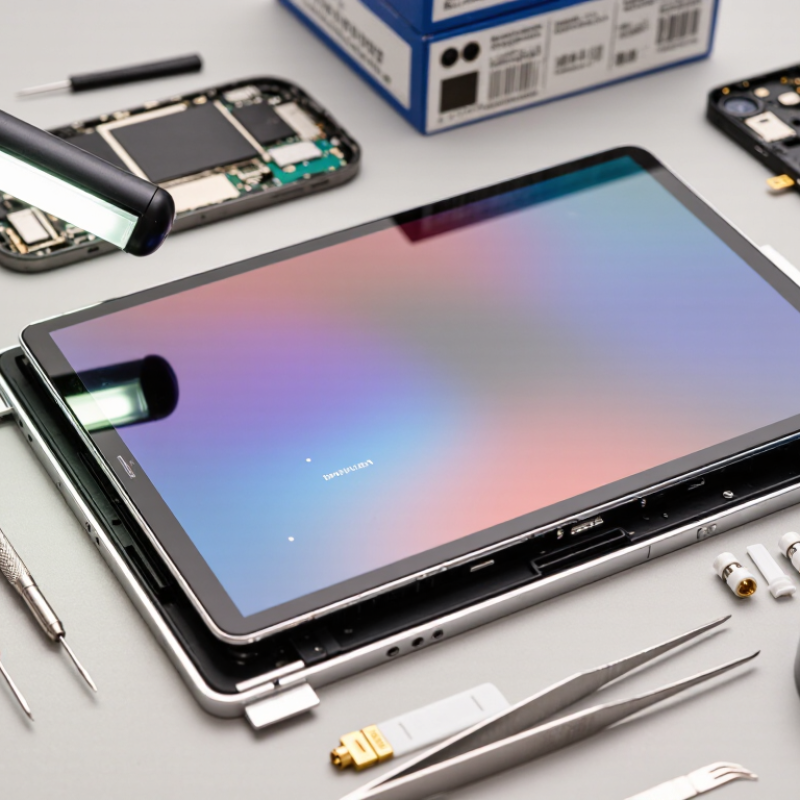
An Aftermarket Lcd Screen is a replacement component designed to restore a device’s visual function. Its role is more than making the display light up. It must show images clearly, respond accurately to touch, and fit the original housing without pressure. During inspection, check the screen size, resolution, connector position, and panel thickness. A slightly different frame can create gaps or damage nearby parts.
Important specifications include brightness, color accuracy, viewing angle, refresh rate, and touch sensitivity. Confirm whether the part includes a digitizer, protective glass, mounting frame, or display cable. These details affect installation time and daily performance. In practical testing, compare white backgrounds, dark images, edge response, and touch points. Dead pixels matter. So does uneven brightness. I once overlooked cable length, and the installation looked simple until the connector pulled tightly. That mistake was avoidable.
Tips: Request clear test records from the supplier. Ask how many pixels may be defective. Check whether the screen was tested before shipping. A reliable part should have stable packaging, traceable specifications, and a reasonable return policy. Avoid judging quality from appearance alone. A bright screen can still have weak touch response or poor color balance. Test it before final assembly, even when the panel seems perfect.
Check Compatibility with the Target Device Model and Display Assembly
How to Choose Reliable LCD Screen Aftermarket Parts?
A reliable replacement starts with exact compatibility, not appearance.Confirm the target device model, release version, and screen size before placing an order. Some devices use different connectors, mounting points, or display assemblies within the same product family. Check whether the part includes the frame, Touch Digitizer, front sensor openings, and adhesive layers. ASmartphone Lcd Screen Aftermarket part may look identical but still fail during installation.
In repair work, I have seen screens fit physically but produce weak brightness or inaccurate touch response. Test the connector layout, flex cable position, resolution, refresh rate, and power requirements. Ask for technical specifications, inspection records, and clear testing procedures. Reliable suppliers should explain whether the assembly was tested for dead pixels, touch zones, color accuracy, and backlight uniformity. Do not trust vague claims. I once overlooked a small connector difference, and the repair required extra labor.
Tips: Photograph the original assembly before removal. Compare every screw hole and sensor cutout. Check the return policy before purchase. Request protective packaging for the flex cable. If compatibility remains uncertain, consult a qualified technician or the device service documentation.
Evaluate Screen Quality, Materials, and Manufacturing Standards
A reliable replacement screen begins with the panel itself, not its packaging. Check brightness across all four corners under a white test image. Uneven lighting often signals weak backlighting or poor assembly. Touch response should remain accurate near the edges. Small delays are easy to notice during typing and gaming.
Materials also affect long-term performance. Quality glass should feel smooth, resist fingerprints, and remain clear at different viewing angles. The frame needs firm alignment with no sharp edges or visible gaps. Ask Aftermarket Lcd Screen Suppliers about the panel type, adhesive, backlight design, and protective coating. Vague answers deserve caution. A low price may hide thinner glass or recycled components.
Manufacturing controls reveal more than a polished sample. Look for documented inspection procedures, batch tracking, and compliance with recognized quality systems such as ISO 9001. Each unit should pass checks for dead pixels, color accuracy, touch sensitivity, and connector stability. I would also request sample testing before placing a larger order. One screen can look excellent while an entire batch varies. This is where my judgment can be imperfect, because short testing cannot predict every failure. Still, measuring brightness, recording touch errors, and checking screen fit provide useful evidence. Ask for inspection records, but verify them against physical results. Reliability is built through repeatable materials and disciplined production.
Verify Supplier Reliability, Product Testing, and Warranty Coverage
A reliable Lcd Aftermarket part starts with a reliable supplier. Ask for business registration, factory-audit records, traceable batch numbers, and recent quality-control results. A polished specification sheet is not proof. Request samples from different production batches, not only one carefully selected unit.
Product testing should cover brightness, color uniformity, touch sensitivity, viewing angle, dead pixels, frame fit, and connector stability. Thermal cycling and repeated installation tests can reveal adhesive failure or image flicker.
The Global E-waste Monitor 2024 reported 62 million tonnes of electronic waste in 2022, while only 22.3% was formally collected and recycled. Better repair parts can help reduce unnecessary device disposal, but poor parts create another waste stream. That point is easy to overlook.
Warranty coverage must be measurable. Check the coverage period, acceptable defect rate, inspection method, return freight responsibility, and replacement timeline. A vague “quality guarantee” protects little. Ask whether the supplier provides failure analysis and repair guidance after installation.
A 12-month warranty sounds strong, yet exclusions may remove touch faults, dead pixels, or installation damage. Read the small print.
I would also record brightness readings and touch-test results before installation. My process is not perfect, especially when testing large volumes, so independent inspection remains valuable.
Geological? No—batch variation is the real concern. Supplier reliability is proven through records, repeatable testing, and responsive warranty handling.
Compare Pricing, Availability, Installation Requirements, and Return Policies
How to Choose Reliable LCD Screen Aftermarket Parts?
Price matters, but the cheapest LCD screen can create expensive delays. Compare several suppliers with the same specifications, including size, resolution, connector type, and brightness. A low quote may exclude adhesive, tools, shipping, or taxes. Ask for a complete cost before ordering. In my repair experience, unclear pricing often signals weak product information. I once chose a cheaper part and later needed extra fitting supplies.
Availability also affects repair planning. Check whether the screen is ready to ship or only listed for future restocking. Confirm the estimated dispatch date in writing. A part that arrives late can leave a device open on the workbench for days. That is not ideal.
Review installation requirements carefully. Some screens need frame transfer, cable testing, adhesive removal, or calibration after installation. Read the technical sheet and watch for warnings about fragile flex cables. If specialized tools are required, include technician labor in your comparison.
Tips: Photograph the original screen before removal. Check connector alignment under bright light. Test touch response, color uniformity, and dead pixels before sealing the device. Keep the protective film on during testing. It saves trouble.
Return policies deserve equal attention. Look for a clear inspection period, testing conditions, and responsibility for damaged shipments. Ask whether opened packaging affects eligibility. Keep invoices, photos, and tracking records. Policies can sound reassuring but remain vague. That should make you pause. A reliable supplier explains the process without pressure and provides documentation you can verify.
Inspect the Part Upon Delivery and Confirm Its Performance After Installation
Choosing a reliable Aftermarket Mobile Phone Lcd starts when the parcel arrives, not when the phone is fully assembled. Photograph the carton, seal, and protective film before opening it. Check for crushed corners, loose connectors, scratches, pressure marks, and uneven backlight. A clean connector is reassuring, but it proves little.
Before applying adhesive, connect the screen and run a controlled test. Open a white image to find shadows, yellow patches, or dead pixels. Drag one finger across every corner and the keyboard area. Test brightness, auto-dimming, sleep-wake response, proximity sensing, and front-camera alignment. The touch layer may work while brightness control fails. I have seen this happen.
IDC reported approximately 1.17 billion smartphone shipments in 2023, showing the scale of replacement-part demand. The Global E-waste Monitor 2024 recorded 62 million tonnes of electronic waste in 2022, with only 22.3% formally collected and recycled. Reliable testing can reduce unnecessary repeat repairs and avoidable disposal. Keep a short record of the part number, test results, display settings, and installation time. Industry repair data are not perfectly comparable, so claims such as “100% tested” deserve verification. If a defect appears, stop installation, retain the packaging, and document the failure with photos or video. That evidence supports a fair technical review and exposes problems that visual inspection alone can miss.
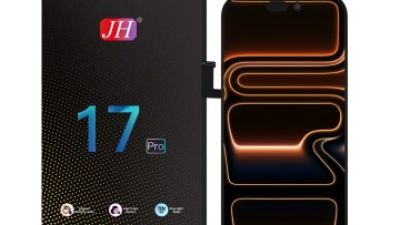
JH iPhone 17 Pro FHD Incell LCD Screen Replacement: Features, Compatibility, and Installation Guide
The 17 Pro FHD Incell LCD Screen Replacement is designed for users who need to restore a cracked, damaged, or unresponsive display. Its incell construction integrates touch sensing into the screen panel, helping maintain a slim profile while delivering clear FHD images, responsive touch control, and balanced brightness. The replacement is intended for the 17 Pro model and should be matched carefully with the phone’s exact version before purchase. It is suitable for repairing issues such as visible cracks, dark areas, flickering, touch failure, or distorted colors, while the original frame, front camera components, and other small parts may need to be transferred separately.
Before installation, power off the phone and remove the battery connection to reduce the risk of electrical damage. Carefully warm and separate the damaged panel, then clean old adhesive and inspect the frame for bends, dust, or broken clips. Connect the new screen temporarily and test the image, touch response, brightness, and display uniformity before applying adhesive. During final installation, align the panel evenly, avoid pressing directly on fragile edges, and reconnect every cable securely. Professional tools and careful handling are recommended because internal components and flex cables can be easily damaged.
FAQS
Show a white image and inspect brightness across all four corners. Uneven lighting may indicate weak backlighting or poor assembly. Check colors, viewing angles, and visible dead pixels. Small differences can matter.
Quality glass should feel smooth, stay clear, and resist fingerprints. The frame should align firmly without sharp edges or visible gaps. Ask about the panel type, adhesive, backlight, and protective coating. Vague answers deserve caution.
Request inspection procedures, batch numbers, factory-audit records, and recent quality results. A polished specification sheet is not enough. Recognized quality systems can provide useful evidence. Still, records require verification.
Test brightness, color uniformity, touch sensitivity, viewing angles, dead pixels, and connector stability. Also check frame fit and cable security. Thermal cycling may reveal adhesive failure or image flicker. Test before sealing.
Yes, request samples from different production batches when possible. One excellent screen cannot represent every shipment. Record brightness readings and touch errors for comparison. My testing may still miss future failures. Batch variation remains the real concern.
Compare identical specifications, including size, resolution, connector type, and brightness. Confirm whether adhesive, tools, shipping, taxes, and labor are included. A cheap part may require extra fitting supplies. That becomes expensive.
Check whether the repair requires frame transfer, adhesive removal, cable testing, or calibration. Inspect fragile flex cables and connector alignment under bright light. Photograph the original screen before removal. Keep the protective film on during testing.
Confirm the warranty period, defect limits, inspection method, and replacement timeline. Check who pays return freight and whether opened packaging affects eligibility. Ask about installation damage, touch faults, and dead-pixel exclusions. Keep invoices, photos, and tracking records. Read the small print.
Conclusion
Choosing reliable Lcd Screen Aftermarket Parts requires more than selecting a panel based on price. Start by identifying the part’s role, size, resolution, connector type, touch function, and other specifications. Confirm that it is fully compatible with the target device model and the complete display assembly. Screen quality should also be assessed through its materials, brightness, color accuracy, touch responsiveness, durability, and manufacturing standards.
A dependable supplier should provide clear product information, consistent testing procedures, reasonable warranty coverage, and responsive support. Compare pricing together with availability, installation requirements, included components, and return policies rather than focusing only on the lowest cost. When the part arrives, inspect it for damage, defects, loose connections, or inconsistencies before installation. After installation, test the display, touch controls, brightness, viewing angles, and stability to confirm that the replacement performs as expected.


 +8617399988678